(c) Profile Systems Design Group, Inc. 2025 Build: 4.008.805 Help ID: 7308
If you do not see the expected content,press CTRL + F5 to clear your Browser's cache.
Clerk selects the card type presented by the customer
Clerk selects the card type presented by the customers
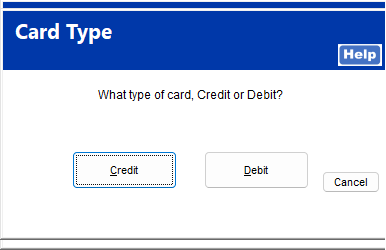
Upon completion of the sale within TransActPOS and the selection of the Payment of Credit Card, the clerk receives a prompt to select credit or debit card based upon the card being presented by the customer.
If the customer tells the clerk that the card is a Credit card:
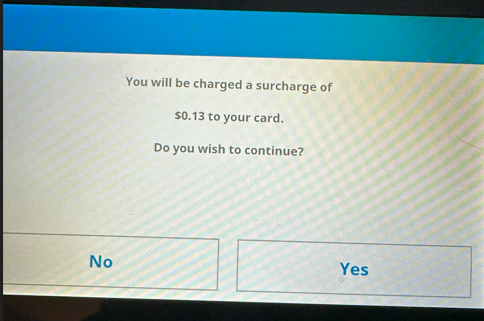
The clerk selects Credit and the system calculates the Surcharge amount and presents the customer on the Verifone device to accept or decline the Surcharge amount.
If the customer accepts the Surcharge by selecting “YES,” the invoice amount plus the Surcharge is sent for authorization. The invoice is then created and paid in full, completing the transaction.
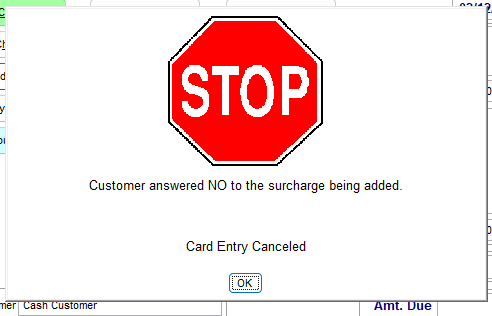
If the customer declines the Surcharge by selecting “NO,” the system returns control to the clerk to select another payment method. The transaction is not completed.
If the customer tells the clerk that the card is a Debit card:
The clerk selects Debit and TransActPOS creates and posts the invoice in full for the invoice amount. No Surcharge is applied.
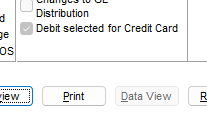
A record is added to the POS->Reports->Exception Report ->Debit Selected for Credit Card Check box that the Cashier selected Debit.
Note: A record of the selected card type selected will be present within the TransActPOS data and on the printed receipt. A reconciliation of the type of card payment selected by the clerk and the responding card type from the processing bank will verify the accuracy of the customer’s claim of card type.