(c) Profile Systems Design Group, Inc. 2026 Build: 4.008.811 Help ID: 6210
If you do not see the expected content,press CTRL + F5 to clear your Browser's cache.
Bill of Materials (BOM)
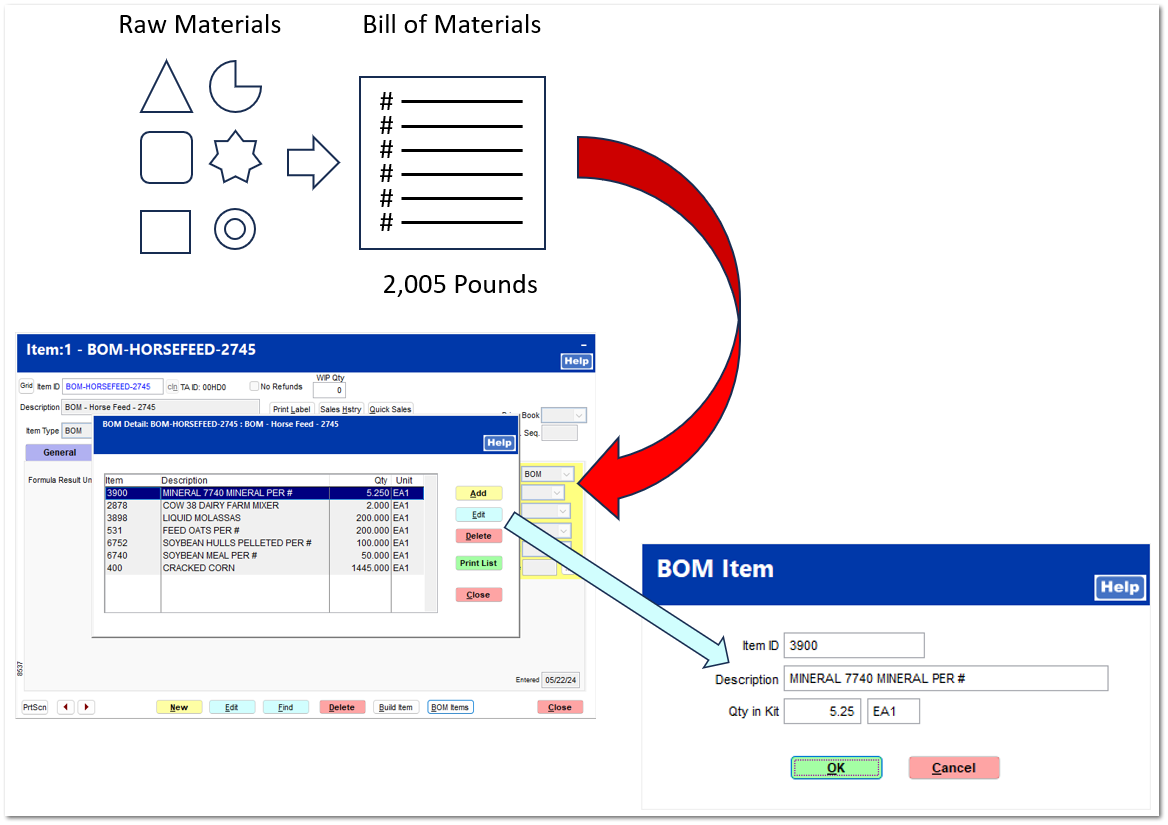
A Bill of Materials item can be used to create a finished good by consuming raw material items in your store's inventory included on a materials list within the BOM detail.
The schematic below shows the relationship between a BOM item, which is the raw material (item 3900 Mineral 7740), and the BOM (Horsefeed 2745) within the BOM item inventory file.
The following topics explain in detail the following: